
ZINIO - Magazine Newsstand
ZINIONews & Magazines
4.35.04K Reviews
- Version
- 4.76.1
- Installs
- 50.00M
- Age Rating
- Teen
Screenshots
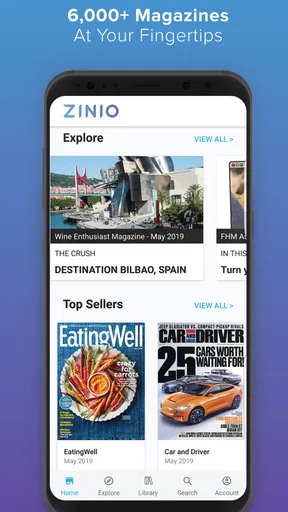
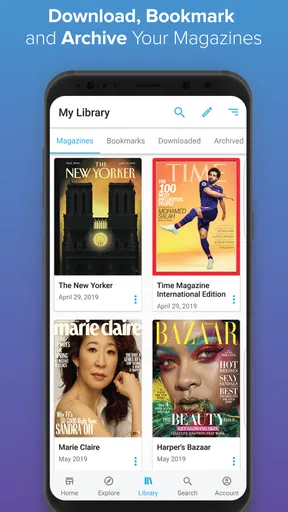
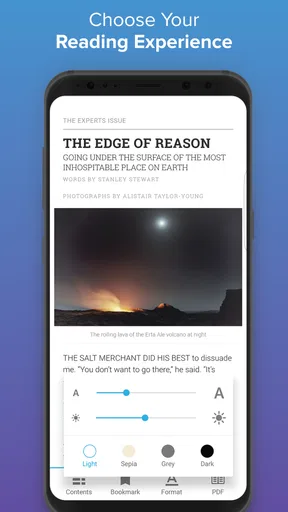
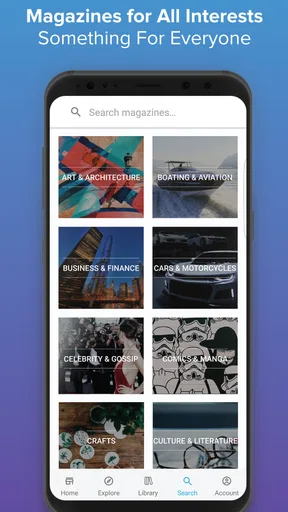

Our Review of ZINIO - Magazine Newsstand
 Analysis by Appyee
I’d choose ZINIO when I want the feel of browsing a magazine shelf without carrying a stack of print issues. Its main strength is putting discovery and reading in one place; its main catch is that a free app does not mean free access to most of the magazines inside. If you enjoy choosing individual titles and issues, that trade-off can make sense. If you mainly want quick, free headlines, a conventional news app is likely a better fit.
A digital shelf for browsing, not just headlines
As a News & Magazines app from ZINIO, it serves a different purpose from a feed that delivers short updates. I find the appeal is taking time with a publication: browsing covers, opening a full issue, and reading at my own pace. That makes it useful for a weekend read, a subject I want to explore beyond a few headlines, or a particular magazine I already follow.
The scale of its audience suggests this format has broad appeal: it has passed 50 million installs and holds a 4.4 average from around 58,000 ratings. Those figures are useful context, but they do not tell me whether a specific title is available where I live or whether its price suits my reading habits. I would still search for the magazines I actually want before making ZINIO part of my routine.
What the catalogue changes in practice
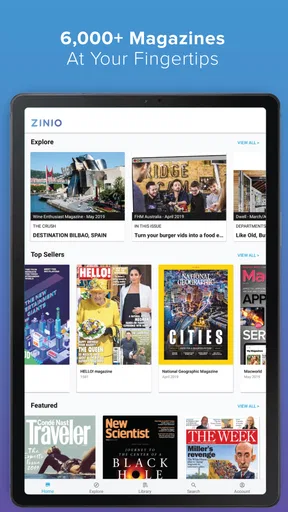
Browsing by category, publisher, or title gives me a few different ways to find something. Searching for a known publication is the most direct route; browsing categories is better when I’m open to a new subject or want to compare titles. International publications add another angle, although their usefulness depends on whether the available editions match the languages and topics I’m looking for.
Back issues are especially handy when a magazine has a feature I missed or when I want to follow a subject across more than one edition. I would treat the catalogue as a digital newsstand rather than assume every publication has a complete archive. Before buying, I’d check the exact issue and publication details so I’m confident I’m choosing the edition I meant to read.
Reading an issue at your own pace
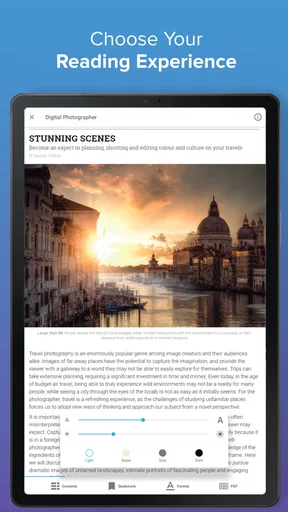
The two reading views serve different needs. Page view preserves the magazine’s designed layout, so photography, typography, and the relationship between text and images remain part of the experience. Text view is a more practical choice when I care chiefly about the article and want a less visually busy way to read. Zooming helps with small print and detailed spreads, though it can mean moving around the page instead of taking in the whole design at once.
Offline downloads turn an issue into something I can prepare for a journey rather than depend on a live connection to read. My practical habit would be to download while on reliable Wi-Fi and open the issue once before leaving, especially if I’m counting on it during a flight or commute. That simple check avoids discovering at the wrong moment that I selected the wrong issue or did not finish preparing it.
Small tools that reward a deliberate reading habit
Bookmarks and highlights make more sense when I use them with a purpose. A bookmark can mark an article or page I want to return to; a highlight can help me keep track of a passage while studying or gathering ideas. They are not a replacement for a full research system, but they can make a magazine issue more useful than a one-time read. If I tend to forget what caught my attention, saving a few specific points is more effective than marking everything.
Curated collections offer a different route into the catalogue: instead of choosing a publication first, I can start with a theme and see what titles fit. That is useful when I want to browse without a fixed plan, but I would still check the individual issues before spending money. A collection can help me discover a publication; the issue itself is what determines whether it earns a place in my reading queue.
Free to install, with purchases to consider
ZINIO is free to install, but the app’s price and the cost of reading are not the same thing. Magazines can be bought as single issues or through subscriptions, and in-app purchases range from under a dollar to several hundred dollars per item. That wide span makes it worth checking the price shown for the particular title or offer rather than assuming every publication follows one pricing pattern. The app is rated for Teen audiences.
I’d start with one issue if I’m unsure how often I’ll read a title. A subscription can be more attractive when I already know I want recurring editions, but a discount is only useful if I will actually read what it covers. Treating the app as a place to browse first and buy selectively helps keep casual curiosity from turning into a collection of issues I never open.
Discover the World of Digital Magazines
I was pretty intrigued when I first heard about ZINIO. The app promises to deliver thousands of magazines right to your device, and I had to see if it lived up to the hype. From fashion and lifestyle to tech and travel, ZINIO seems to have a magazine for every interest.
Setting Up and Getting Started
Downloading the app was a breeze. It’s available for both Android and iOS, so no worries about compatibility. Once installed, you’ll need to create an account, which is super straightforward. Just a few taps and you’re ready to dive into the world of digital magazines.
The first thing you notice is the clean and intuitive layout. It’s easy to navigate, and trust me, you’ll appreciate this when you’re trying to find that one issue you’ve been dying to read.
Browsing the Library
What really won me over was the sheer variety. You can browse by category, publisher, or even search for specific titles. Whether you’re into the latest celebrity gossip or in-depth analysis of current events, ZINIO has you covered. I was pleasantly surprised by the range of international publications available too.
And guess what? They even have back issues! It’s like having an archive at your fingertips. Perfect for those who want to catch up on past editions.
Reading Experience
This is where ZINIO shines. The reading experience is incredibly smooth. You can zoom in on text or images, which is great for those beautifully shot spreads. The app also allows you to switch between text view and page view. Personally, I love the page view; it feels like you’re flipping through a real magazine.
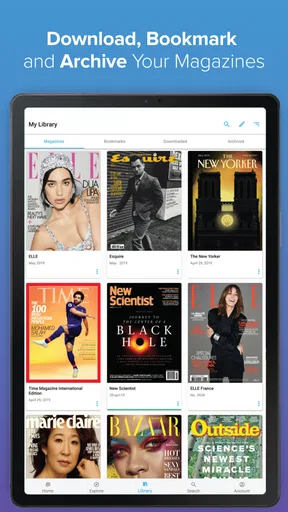
Plus, there’s an option to download issues for offline reading. I can’t tell you how handy this is when you’re stuck on a flight or in areas with spotty internet.
Special Features
One of my favorite features has to be the bookmarking tool. It’s perfect for saving articles you want to revisit later. There’s also a highlight feature, though I haven’t used it much yet. I can see it being useful for students or anyone doing research.
ZINIO also offers curated collections, which are essentially themed bundles of magazines. It’s a fantastic way to discover new reads you might not have picked otherwise.
Cost and Subscription Options
The app itself is free, but most magazines require a purchase. You can buy single issues or opt for a subscription, which usually comes with a discount. They often have promotions, so it’s worth keeping an eye out for deals.
While some might find the cost a bit steep, I think it’s justified by the convenience and quality of content. Plus, no more cluttered magazine racks at home!
Compatibility and keeping expectations sensible
The current release is version 4.72.1, and the Android minimum is 5.0. ZINIO has been around since May 30, 2011, which gives it a long history as a digital magazine option. I’d still judge it by how well it serves my own reading routine: longevity and a familiar layout do not make every title or purchase worthwhile for every reader.
A realistic use case is a commute with a little planning. I can browse for an issue at home, download it before leaving, then read a few pages in page view while I have time and switch to text view if I’m concentrating on a particular article. If I’m interrupted, a bookmark gives me a simple way to find my place again. The app fits that stop-and-start pattern better than buying a physical issue at the last minute, but I still need to choose and prepare the material in advance.
Who will get the most out of it
I’d recommend it to readers who have a few specific magazine interests, like keeping a small digital reading queue, or enjoy exploring publications beyond their usual picks. It can also suit someone who travels and wants to carry selected issues without the physical bulk. A student or hobbyist may appreciate saving passages for later, provided they treat highlights as reading aids rather than a substitute for organized research notes.
On the other hand, I would skip it if I mostly want a constant stream of free breaking news, if I rarely finish long-form reads, or if I prefer the tactile experience and collectible quality of print. A general news feed is faster for checking what happened today; a library service may be a better match for readers who want access through a borrowing model. ZINIO’s strength is the magazine issue itself, not replacing every kind of news or reading service.
How it compares with other reading habits
Compared with news aggregators, ZINIO asks me to choose a publication and spend more time with a complete issue, rather than skim many short stories in one feed. Compared with physical magazine shopping, it is easier to browse and keep selected issues together, while print still wins if paper, display, or collecting matters to me. It also differs from general e-book readers: magazines rely on designed pages and visual spreads, so page view can be part of the pleasure, even when text view is more convenient for close reading.
One useful way to avoid buyer’s remorse is to separate discovery from commitment. I can use categories and collections to find candidates, inspect a specific issue, and then decide whether a single purchase or a recurring subscription fits. If I only want one feature, buying one issue is the clearer test; if I read a publication regularly, a subscription may be worth comparing. The right choice depends on my actual habit, not simply the promise of a discount.
What I would check before settling in
Before a long trip, I’d confirm that the issue is downloaded and opens, rather than relying on the download step alone. When choosing a back issue, I’d verify its date and title so I don’t mistake an older edition for the one I had in mind. And if I’m using highlights for study, I’d mark only passages I expect to revisit; selective notes are easier to use later than a page full of marks.
Those small checks also answer the practical question of whether it works well offline: downloaded issues are intended for offline reading, so preparing them ahead is the sensible approach. For someone asking whether the app is free, the honest answer is that installing it costs nothing, while access to many magazines involves purchases. For someone wondering whether it replaces a news app, I’d say only if their main goal is magazine-length reading rather than rapid updates.
A measured recommendation
As an app published by ZINIO, it has a clear identity: a digital place to browse, buy, and read magazines rather than a universal source for every kind of article. Its 5.1K reviews reflect a sizeable body of reader feedback, but I would still decide based on catalogue fit, reading comfort, and the cost of the publications I personally want. The app is at its best when I know what I like or enjoy the process of discovering a new title; it is less compelling when I expect everything to be included at no charge.
So, is ZINIO - Magazine Newsstand worth it? In my opinion, absolutely. It’s a fantastic app for anyone who loves magazines and wants access to a wide range of titles without the hassle of physical copies. The user-friendly interface and high-quality reading experience make it a standout choice.
If you’re a magazine enthusiast or just someone looking to explore different topics, give ZINIO a shot. Who knows, you might discover a new favorite magazine or two!
Verdict
Strengths of ZINIO - Magazine Newsstand
- Wide selection of magazines.
- Offline reading available.
- User-friendly interface.
- Customizable reading settings.
- Regular content updates.
Limitations of ZINIO - Magazine Newsstand
- In-app purchases can be pricey.
- Occasional download issues.
- Limited free content available.
- No audio options for articles.
- Requires account to browse fully.
Similar Picks in This Category
View All
Google News - Daily Headlines
Google LLC4.0

X
X Corp.4.8

Flipboard:Your Social Magazine
Flipboard3.4

Opera News: breaking & local
Opera4.5

Hindi News by Dainik Bhaskar
Dainik Bhaskar Group4.0

Way2News Daily News App
Way2News ( Formerly Way2SMS )4.6
Frequently Asked Questions
What is ZINIO - Magazine Newsstand?
ZINIO - Magazine Newsstand is a digital platform that offers access to thousands of popular magazines from various genres, including fashion, technology, business, and more. Users can subscribe to their favorite publications, purchase individual issues, or explore free articles. The app is available on both Android and iOS, providing a seamless reading experience across devices.
How do I purchase and download magazines on ZINIO?
To purchase and download magazines on ZINIO, users need to create an account and browse through the extensive library of magazines. Once you find a magazine you’re interested in, you can purchase it using your preferred payment method. After purchase, the magazine will be available for download and offline reading in your library.
Can I read magazines offline with ZINIO?
Yes, ZINIO allows users to download magazines for offline reading. Once you've purchased or subscribed to a magazine, it can be downloaded onto your device. This feature is particularly useful for users who travel frequently or have limited internet access, allowing uninterrupted access to your favorite reads.
Is ZINIO compatible with all devices?
ZINIO is compatible with a wide range of devices, including smartphones, tablets, and desktop computers. It is available for download on both Android and iOS platforms, and users can access their library from any device by logging into their ZINIO account, ensuring a flexible reading experience.
Are there any free magazines available on ZINIO?
Yes, ZINIO offers a selection of free magazines and articles that users can explore without purchasing. This feature is ideal for users who want to sample content before committing to a subscription or purchase. The free content available varies by region and publisher, providing a taste of what the platform has to offer.
